Making White Stone with my friend Claude: from ancient pebbles to Apple App Store
Claude Code is really amazing.
A few days ago, I shipped White Stone to the App Store. It’s a mental tracking app for spiritual practitioners, inspired by the practice of an ancient Indian teacher named Upagupta. The whole thing went from concept to App Store submission in about a week: I started on 10 Feb, and finally shipped this on the Apple App store on 19 Feb (v1.0).
All this wouldn’t have been possible if not for Claude Code (“CC”)
This blog post was initially drafted by Claude Code, but re-written by me: I will make it clear where things are written by Claude Code, as you will see CC Starts before I verbatim quote CC-generatd text. (note: this post’s title was generated by Claude Code: I added the clarification that it is the Apple App store…)
The spark: Upagupta’s pebbles
The idea came from a legend I had read about Upagupta a few years ago. Upagupta was a spiritual teacher of King Ashoka (and was supposedly responsible for the Ashokan pillars that are on Buddhist pilgrimage sites). Legend was, when he was a layman, he was very inspired by a Buddhist monk, and wanted to ordain.
The monk told Upagupta (who was a shopkeeper then) to keep black and white pebbles. Every time he had a bad thought, he was to toss a black pebble into a basket. Every good thought, a white one.
At first, the black pebbles far outnumbered the white. But after some time, there were only white pebbles left, and that was when Upagupta was ordained.
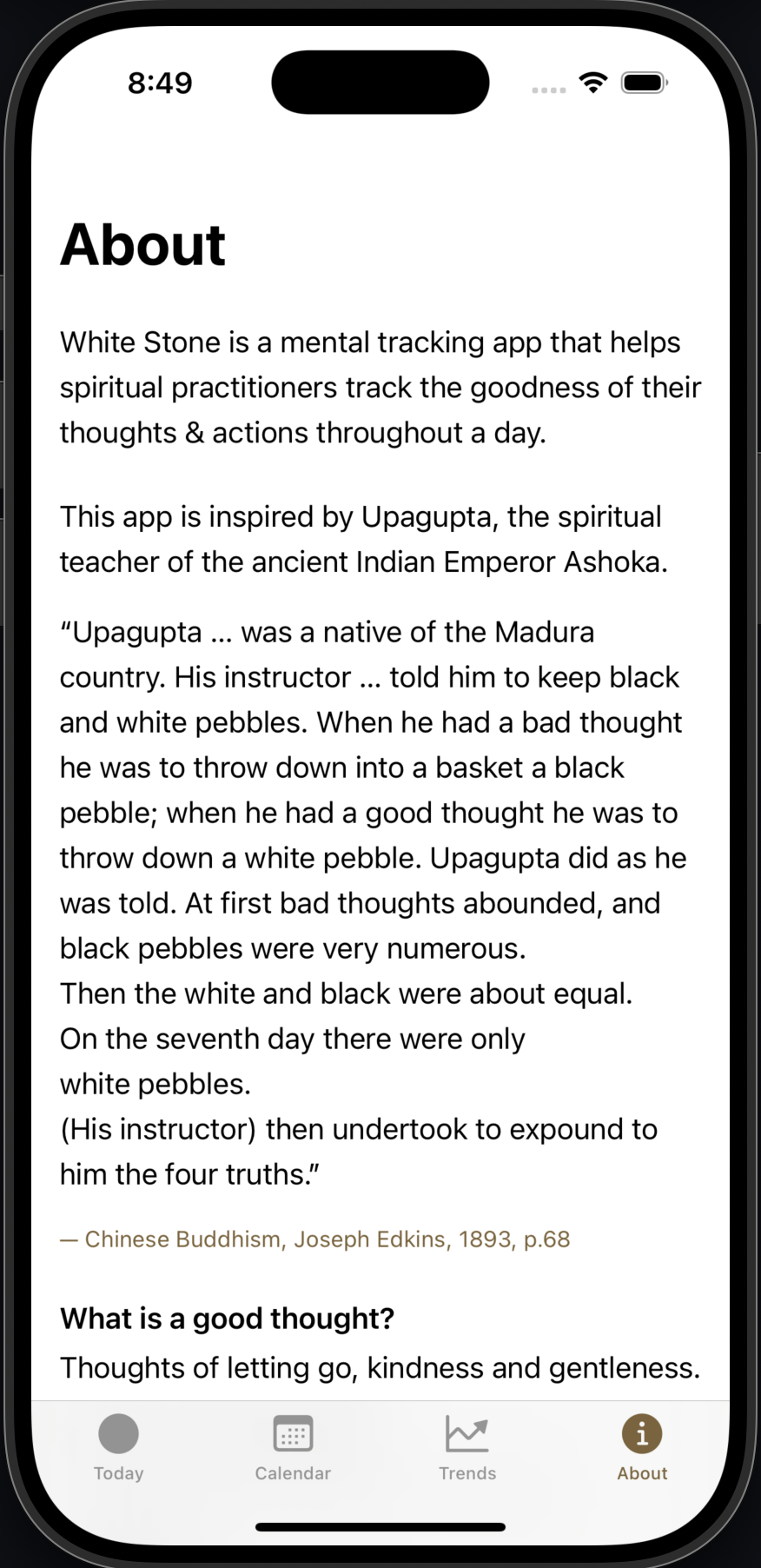
When I first read this story, I thought to myself “what a great idea! How could I put black and white pebbles in my pockets, and do the same thing?” But pebbles are not phone friendly in this modern day and age… so how about an app?
Back then, I thought I had to learn Swift and iOS programming in order to build the app. Interaction prototyping also relied on tools like Origami, which is complex: we have used Origami in the IDP, and I dreaded having to figure out the complex patches in order to get the interactions I wanted.
I was clear on a few things:
- The app should be as simple as possible
- There should be a twirling action when you swipe the stones
- There should be accompanying haptics when there is some action, to give a tactile feel. This was heavily inspired by my final project’s design principle #4
- The tech stack was equally minimal. Native iOS with SwiftUI, SwiftData for local storage, zero external dependencies. No server, no cloud sync, no analytics. The app stores everything on the mobile, as I didn’t want this to be something monetized: this app is really to help use digital technology for Dharma purposes.
In fact, you can see an early screenshot I made of a Sketch file I made in 2020 here, when I had the initial idea! 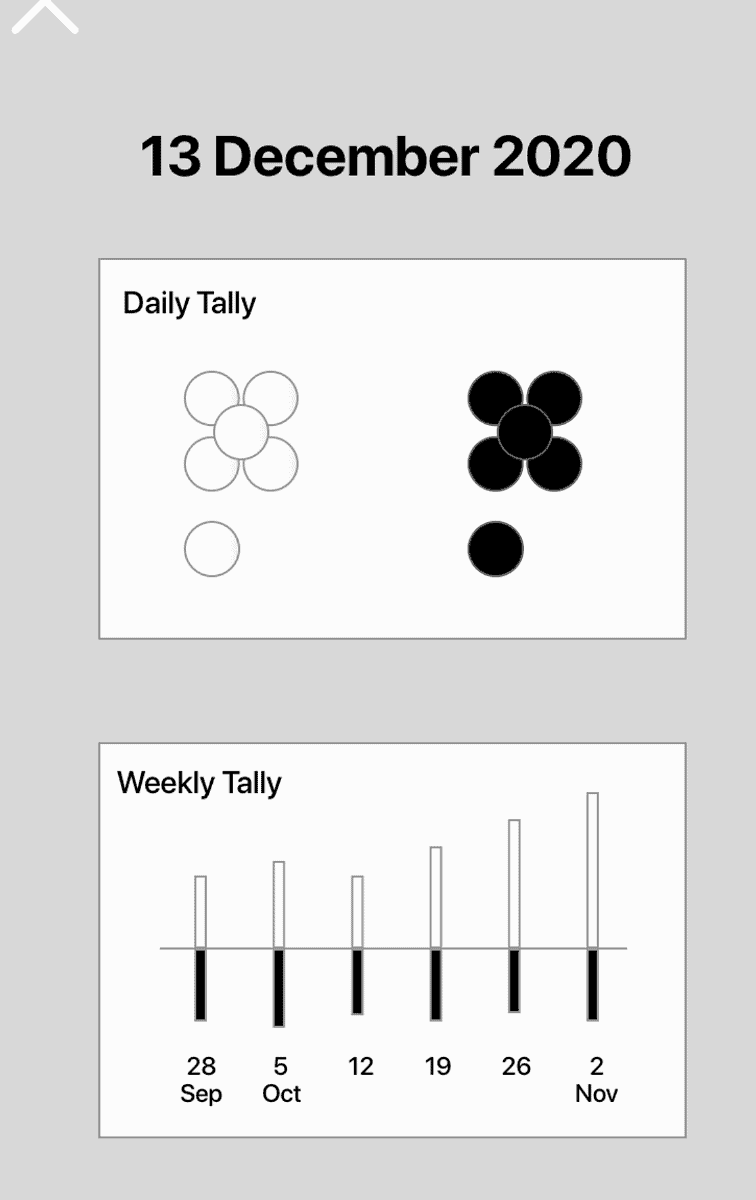
I never got around to learning sufficient Swift nor Origami to really make this app. Turns out that was the right call! 🤣
I have a friend named Claude who Codes really well
In Feb 2026, I decided to give Claude Code a try for real. I had previously tried Replit (tldr - it doesn’t quite work for me, as it sucks up a lot of tokens for relatively little effect, unfortunately…), so I was (honestly) quite skeptical about Claude Code.
I also have next-to-no iOS development background. So why not give Claude Code a relatively ambitious task, to bring my old White Stone idea to life?
So I started by using plan mode (highly recommended) & conversing with Claude Code (hence “CC”) to figure out what I wanted to do. I got CC to iterate to a point where I was relatively comfortable with the overall plan which is still in the code repo here, before I got CC to execute it.
You can see that the first-cut was… weird.
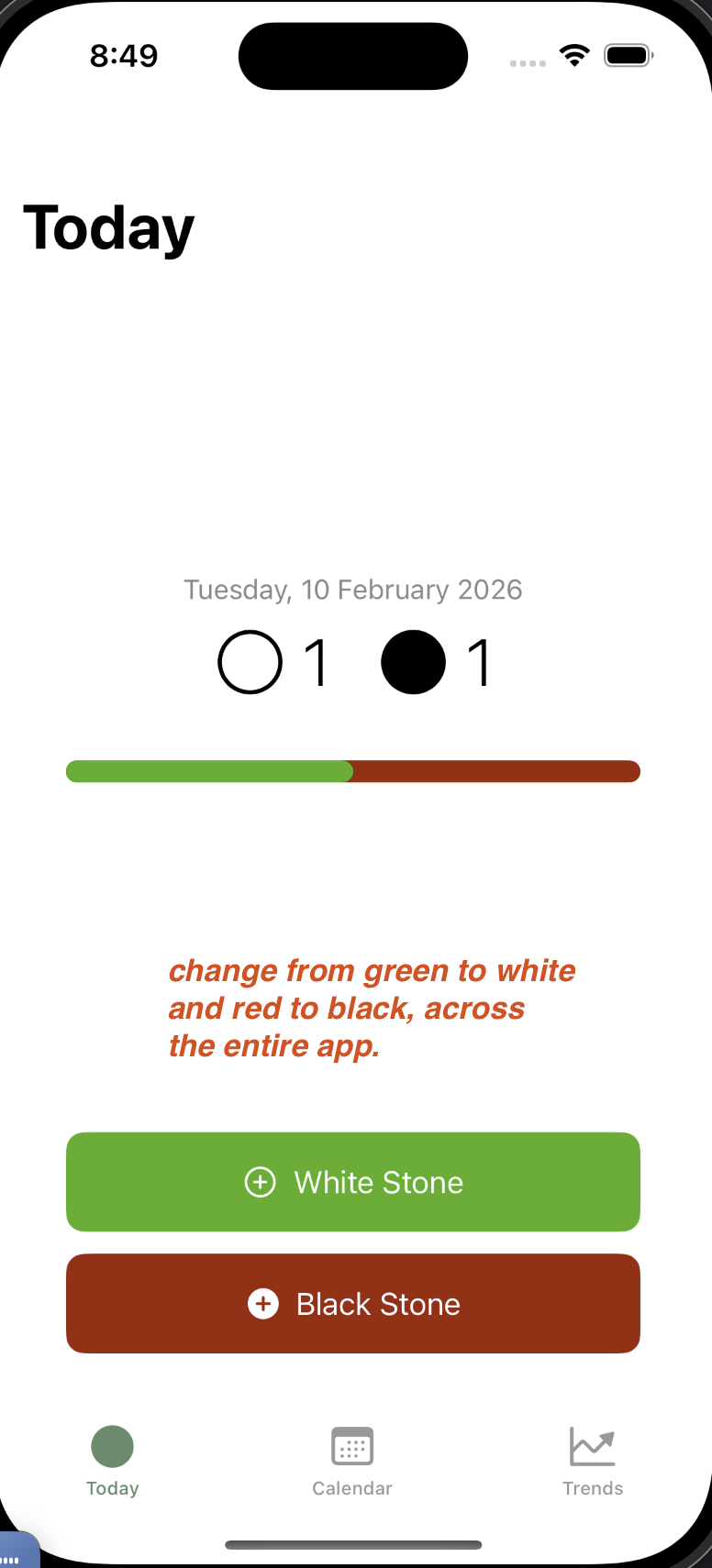 “White stone” button was …. GREEN? and the Black stone button was RED…?
But no matter! I was able to use the iOS Simulator to see that all was not well, and to feedback the screenshot into CC for iteration.
“White stone” button was …. GREEN? and the Black stone button was RED…?
But no matter! I was able to use the iOS Simulator to see that all was not well, and to feedback the screenshot into CC for iteration.
CC very rapidly improved on the app,with a healthy dose of iterative feedback from me (in red):
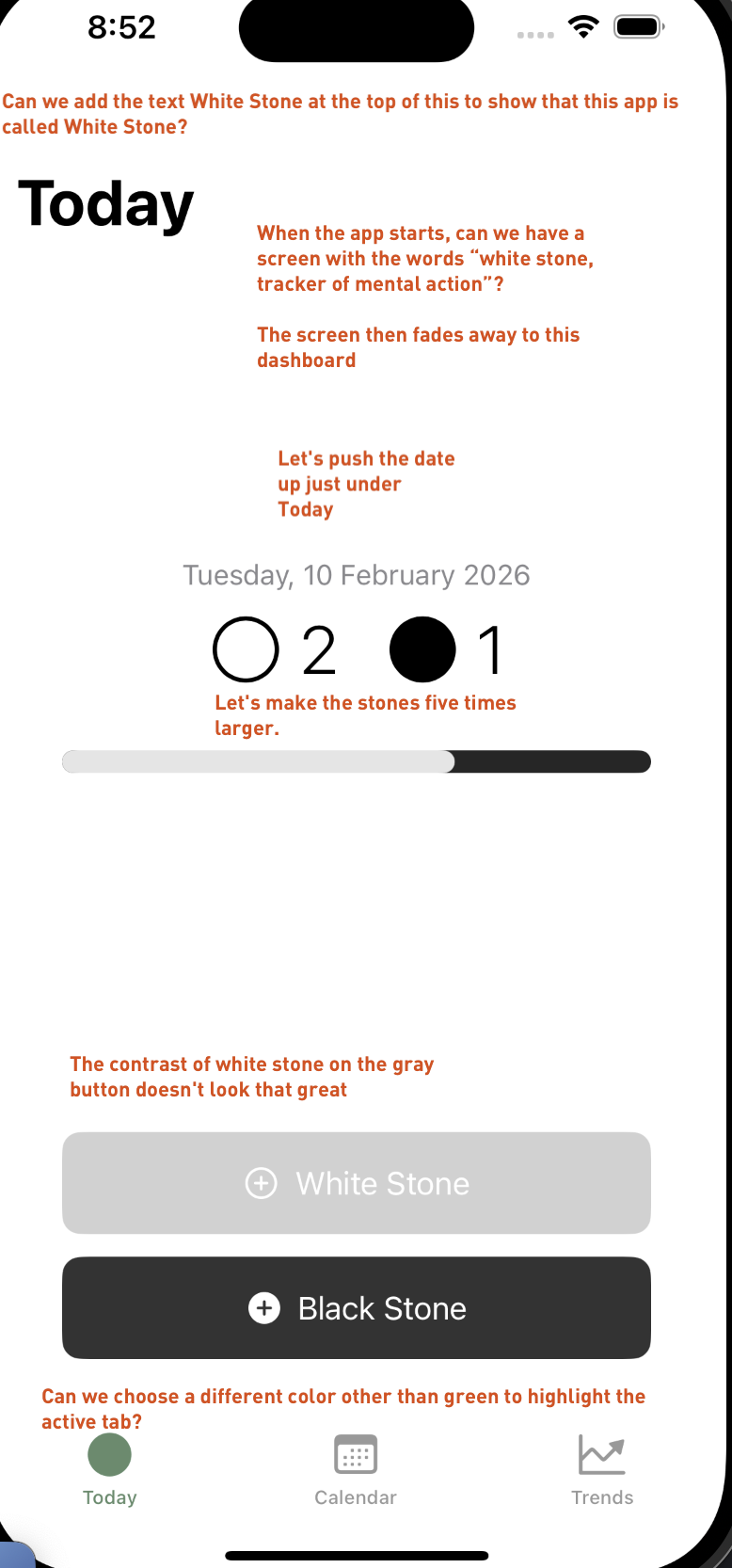 Caption: Me giving annotated screenshot feedback to Claude Code to quickly iterate UI changes. The red markings highlight issues to fix (e.g. incorrect button colors).
By 14 Feb, the app started looking quite close to its final end-state:
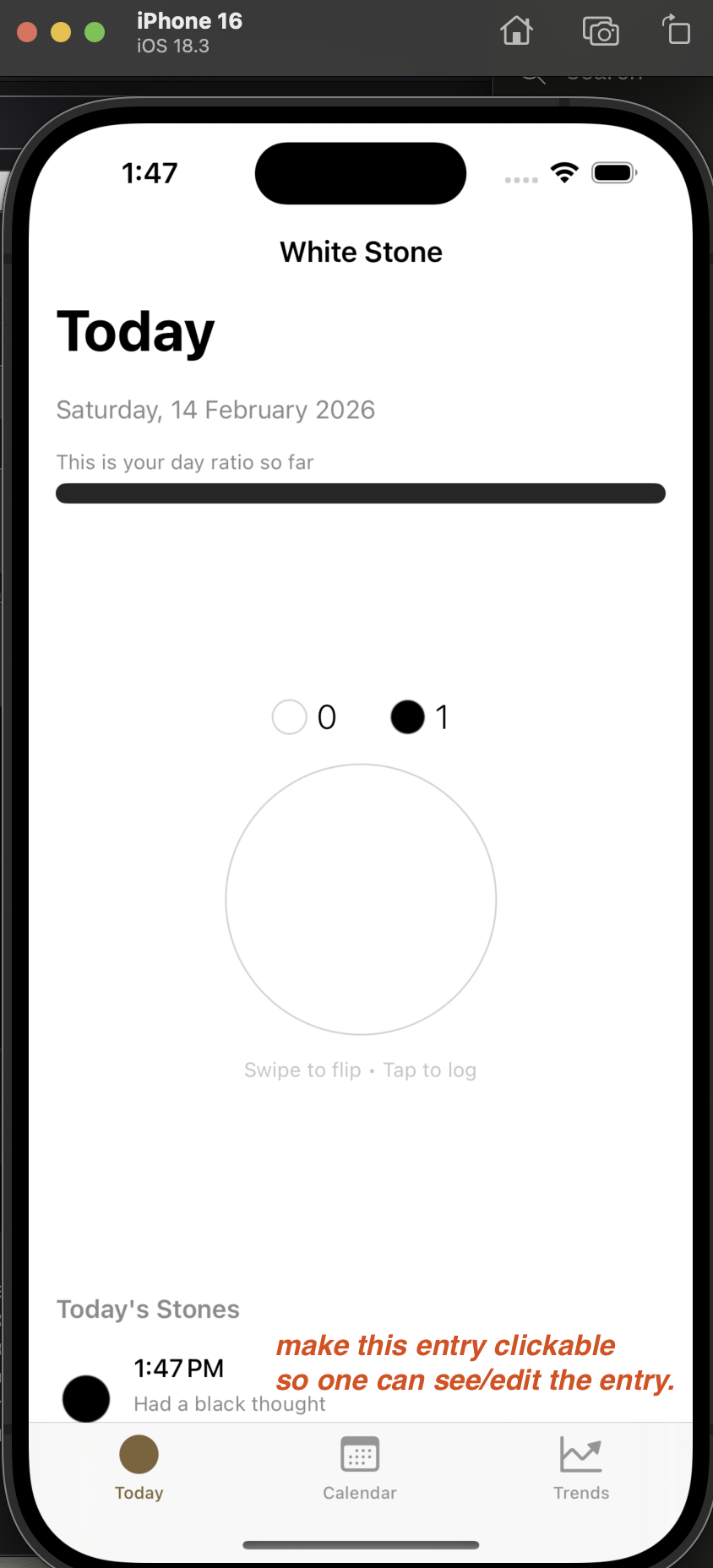
I will let CC explain to you what happened on 14 Feb in some detail:
CC starts:
Feedback rounds: where the magic happened
This is where the app really took shape. Over two feedback sessions on 14 February (yes, Valentine’s Day was spent refining pebble animations), the app evolved dramatically.
Morning session (14 Feb):
Seven changes came out of the first feedback round. The stone grew from 160pt to 240pt – it needed to feel substantial, like an actual pebble in your hand. Haptic feedback was added to the flip gesture: two medium-intensity taps 120ms apart, giving the flip a satisfying physical quality. An About tab was added to house the Upagupta story. And a time picker was introduced so you could backdate entries – because you don’t always log a thought the moment it occurs.
Evening session (14 Feb, 7pm):
This round transformed the stone itself. The flat circle became a 3D textured stone with layered radial gradients, specular highlights, inner shadows, and a subtle angular texture overlay. Small stones (in timelines and counts) stayed flat for clarity, but the main stone on the Today screen now looks like you could pick it up.
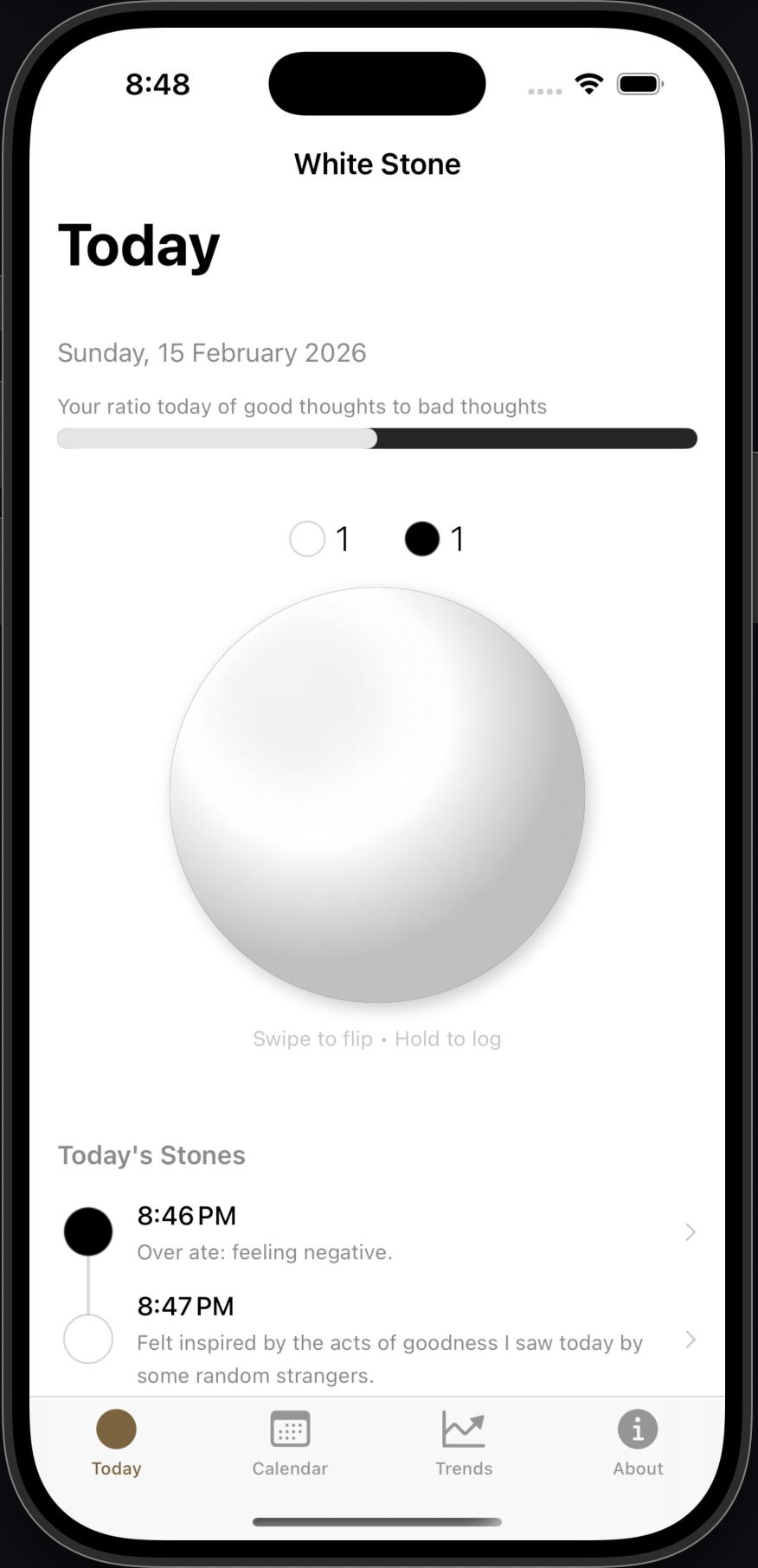
The tap-to-log interaction was replaced with a long-press gesture. Hold the stone for 0.8 seconds: it pulses gently, with matching haptic feedback, as if it’s warming up in your hand. Release, and the Add Stone sheet opens. Combined with the swipe-to-flip gesture (swipe left for black, right for white), the stone became the entire interaction model. No buttons needed.
The calendar was also reworked to start on Monday (a small but important detail) and to show stone details inline rather than navigating to a separate screen.
CC ends
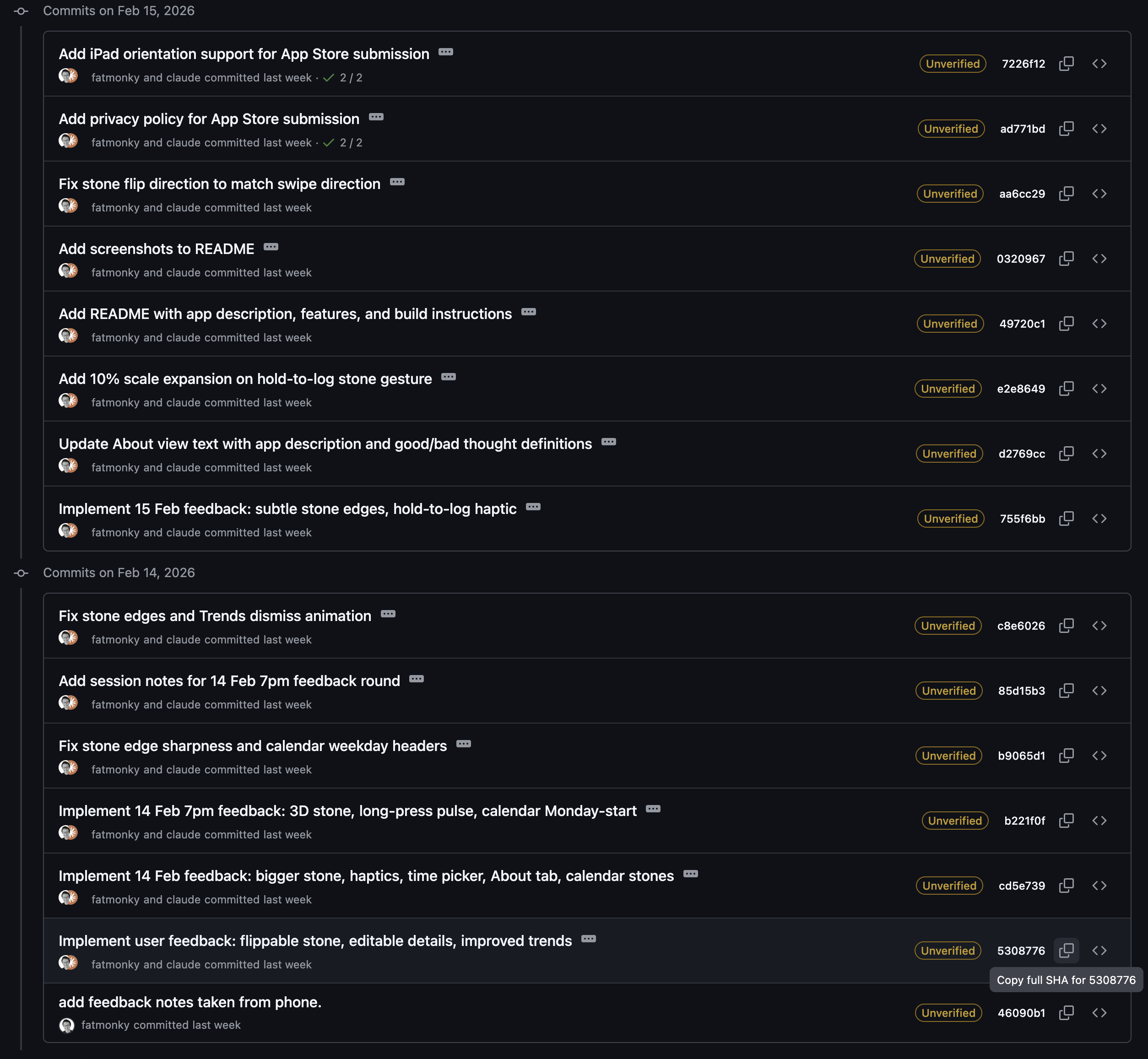
You can see the Git commits were mostly on 14 and 15 Feb:
Building with AI
CC starts I should mention that this entire app was built with Claude Code. The concept document, the breadboard flows, and the design direction were mine. But the implementation – every Swift file, every animation curve, every haptic pattern – was written through conversation with Claude.
This is a very different experience from my first experiments with AI coding back in December 2022, when ChatGPT could barely close a parenthesis in Clojurescript. Three years later, I went from a concept document to a fully polished, App Store-ready native iOS app in a week. The feedback sessions I described above? Each round of changes – seven or eight modifications touching multiple files – was implemented in a single sitting.
The app has 17 Swift source files, zero external dependencies, and handles everything from 3D stone rendering to haptic feedback patterns to calendar math. I didn’t write a single line of Swift myself.
What I did do was design. The concept, the interaction model, the aesthetic direction, the feedback – that was all human judgement. AI handled the implementation. I think this is closer to what the future of building software looks like: you design the experience, AI writes the code, and you refine through conversation.
CC ends
While the above words were written by CC, I think the generated text is 100% accurate as a reflection of my own thinking.
Getting to the App Store
After deploying the app on the Simulator and then on my phone (using Xcode, and turning on Developer Mode on my phone), I wanted to really ship the app.
So I asked CC what to do, and it guided me on Apple’s App Store Connect. Somewhat surprisingly, CC was able to accurately guide me through the entire app review process! Steps like adding a privacy policy, adding iPad orientation support, and generating the app icon: it was a huge surprise to me that the app icon was generated entirely by CC, and it was absolutely spot-on – a warm brown rounded square with a luminous white stone at its centre.
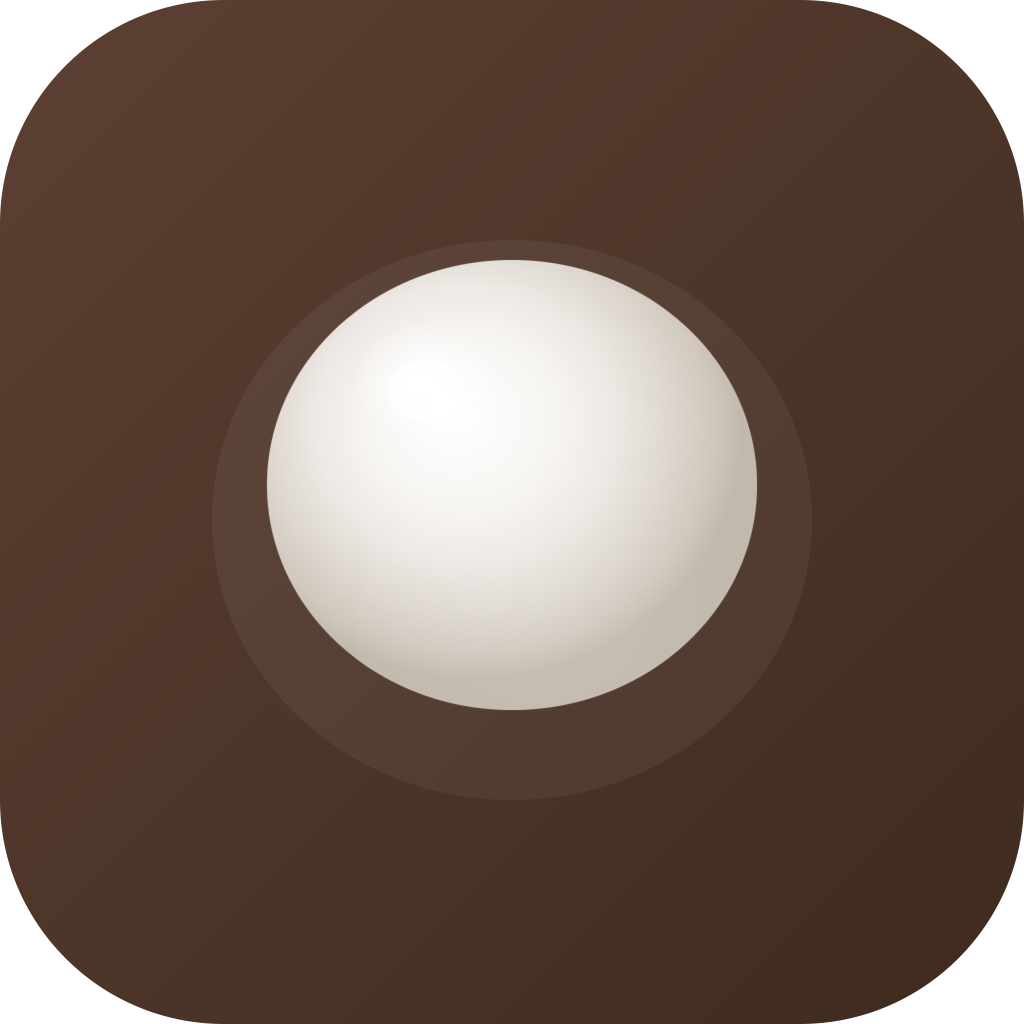
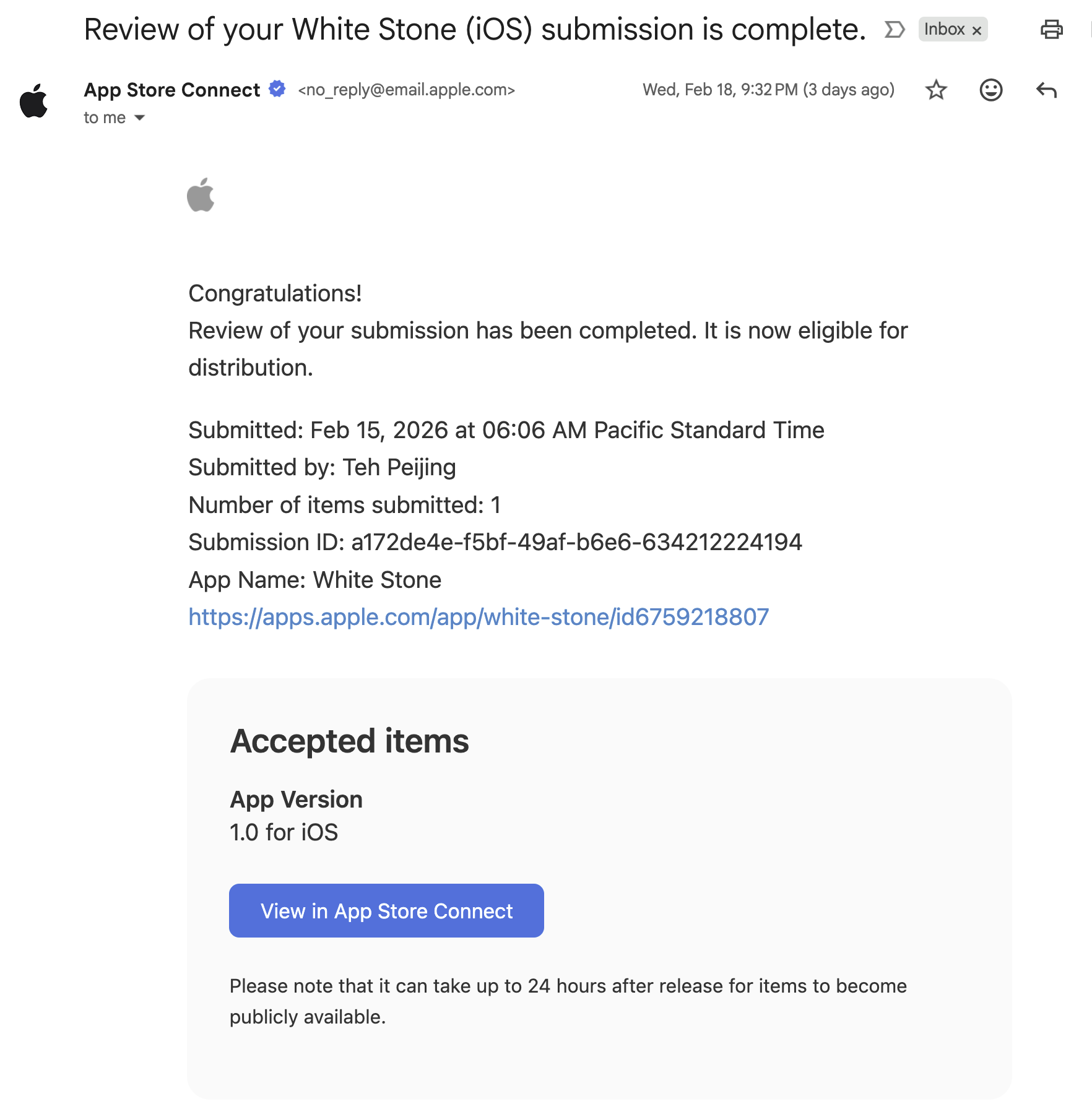
I submitted a very bureaucratic & tedious App Review submission, and it got accepted on Feb 18:
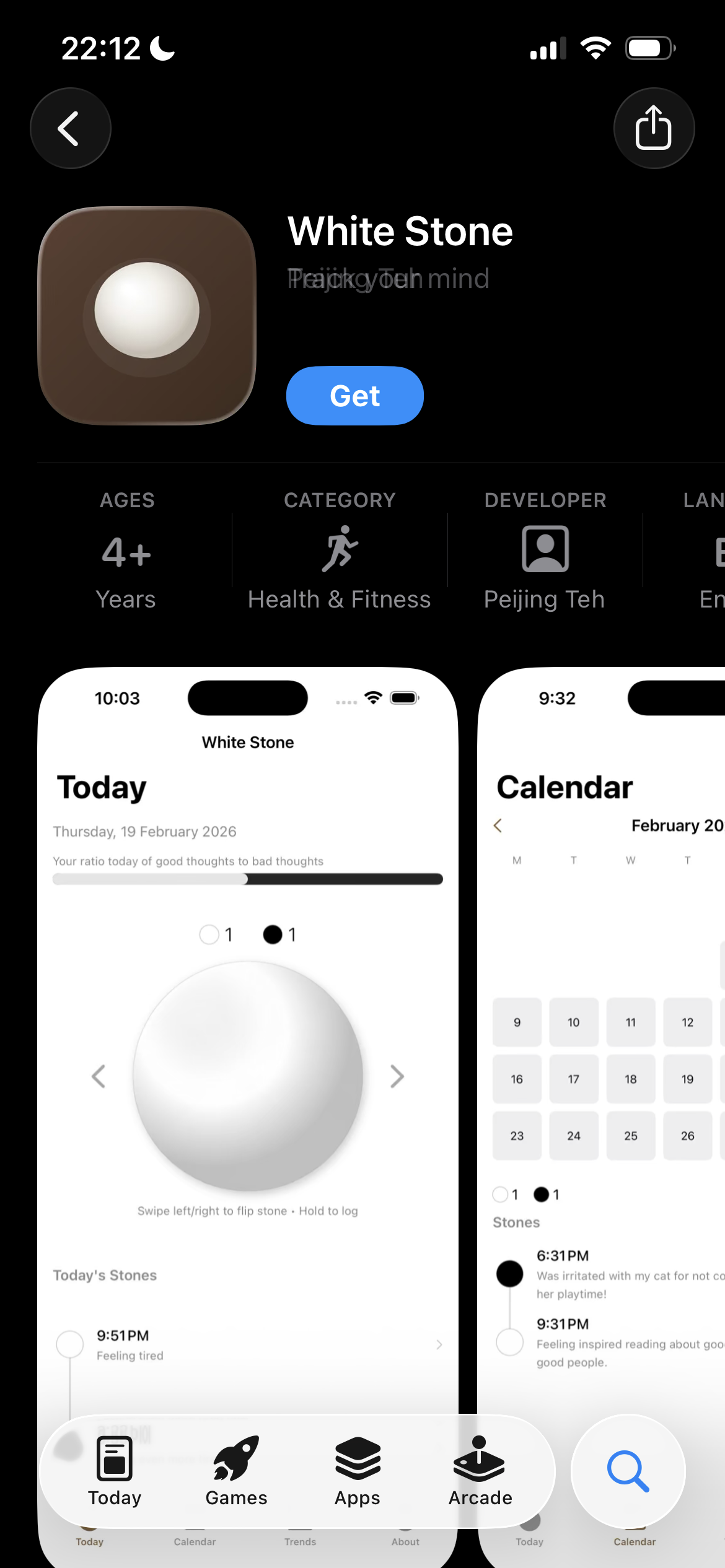
And it was then finally on the App store:
What I learned (according to Claude Code)
CC starts
A few takeaways from the process:
-
Start with the interaction, not the interface. The app became something special when the stone itself became the interaction model – swipe to flip, hold to log. The buttons were fine, but the gestural interface made it feel like a practice.
-
Feedback is everything. Two focused sessions on a single day transformed the app from functional to delightful. The 3D stone, the haptics, the pulsing long-press – none of these were in the original spec. They emerged from using the app and noticing what was missing.
-
Constraints are your friend. No server, no dependencies, no analytics, no accounts. Just SwiftUI, SwiftData, and your thoughts. The constraints kept the app focused and the development fast.
-
AI changes the economics of building. A native iOS app with custom 3D rendering, gesture systems, haptic feedback, and charts – built in a week by someone who doesn’t write Swift. This would have been a months-long project otherwise. The bottleneck has shifted from implementation to imagination.
The app is called White Stone because the aspiration is clear: may all your pebbles, eventually, be white.
CC ends
What I learned (for real)
- Points 1, 2 & 4 from CC above.
- Start small & build something that works first. Doesn’t matter if the colors are off; just get a ’tracer bullet’ working through the stack. Then…
- Iterate fast and furious to improve.
- The real constraints are no longer coding, but imagination and taste: it is no longer an issue if you cannot code, as long as you roughly know what to build: you can then use AI tools like CC to help you figure out the details of what to build.
- Dogfooding works really well if you are the ideal app user: this app really helps ME track my own mental actions & thoughts for my spiritual practice.
Wishing everyone white stones all the way!
Written on 21 Feb 10:17pm.