White Stone v1.1: adding Reflections, stone tagging, and pattern surfacing
A few months ago, I shipped White Stone v1.0: a minimal iOS app for tracking your mental states throughout the day — log a white stone for a wholesome thought, a black stone for an unskillful one.
This week I submitted v1.1 to the App Store. I tested v1.1 over the last few weeks, introducing a few new features (more below) which I dogfooded and tested out for myself before rolling out.
Why a v1.1?
After a few weeks of daily use, I noticed that logging stones was easy — but what was lacking was a framework to help sense-make the stones’ patterns. I could see that I had logged three black stones on a Tuesday afternoon, but I couldn’t remember what they were about, or whether they were passing moods or something more persistent.
So I decided to give the stones more context, and giving you more tools for reflection — without turning the app into a gamified wellness platform. The guiding principle stayed the same: reinforce by noticing, not by scoring.
Another point that arose from my dogfooding, was that there was duplication: the Trends and Calendar view both showed the historical record of the stones that were logged. Both tabs were basically showing the same data in different ways, but it wasn’t clear if this was at all helpful.
A third point that arose, was that while the app helped to log the stones, they didn’t really help the user to reflect on the stones, or to reflect in general.
Hence, I decided to try out a few new features for myself.
What’s new
1. A unified Review tab
The old app had separate Calendar and Trends tabs which duplicate info. In v1.1 these are consolidated into a single Review tab with three segments: 14-day bars, All-time totals, and Patterns.
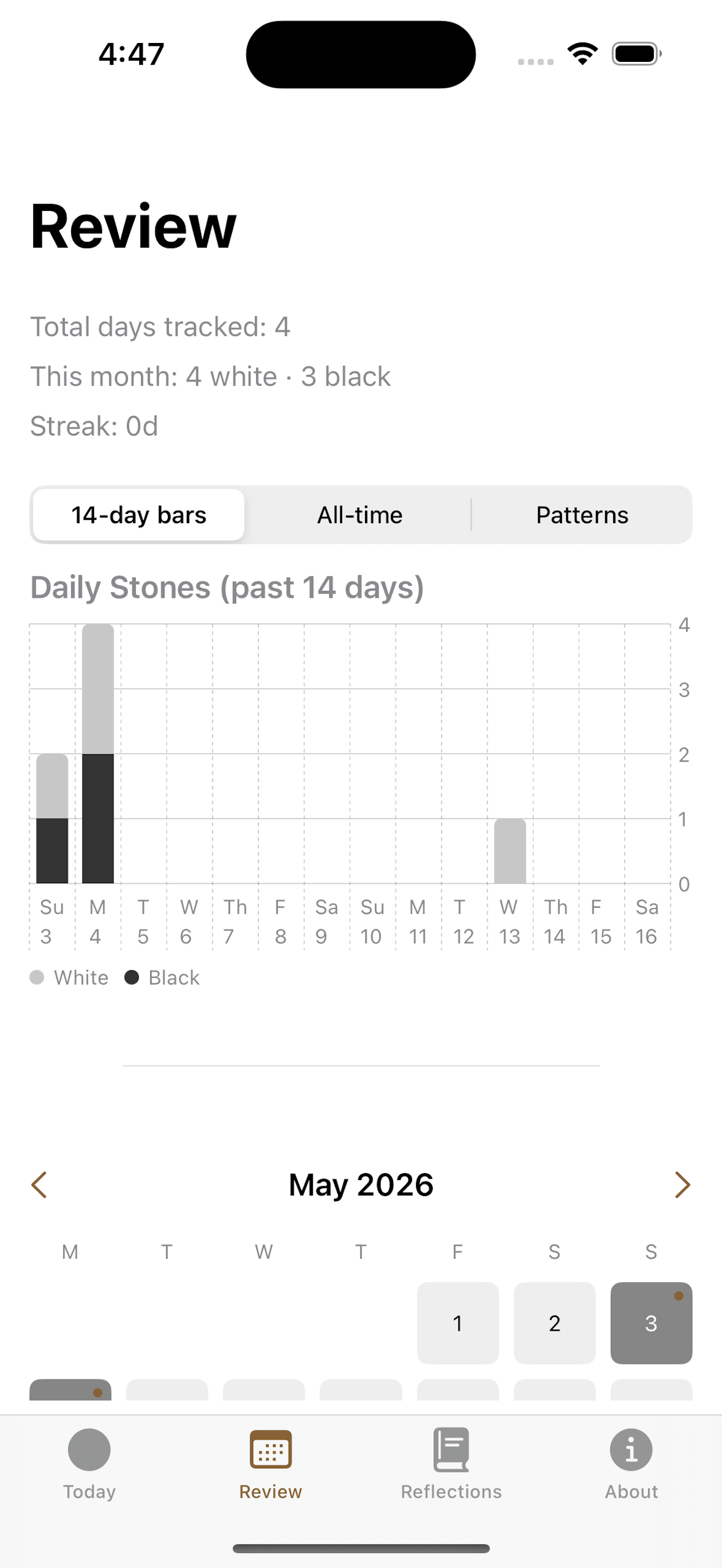
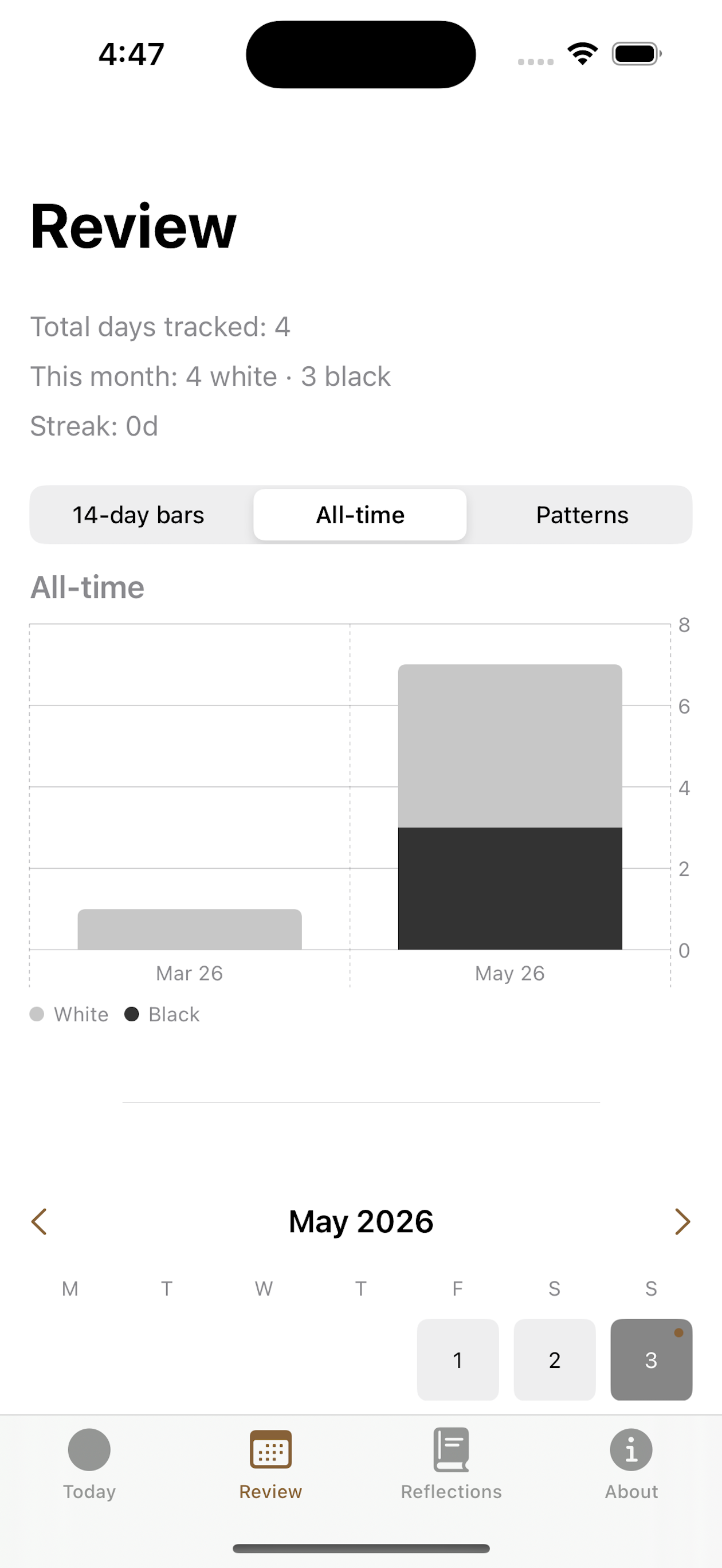
The calendar below the charts is now navigable by month, and day cells that have a saved reflection are marked with a small dot — so you can see at a glance which days you wrote something.
The consolidation also made room for the new Patterns section (more on that below), while keeping the app at four tabs: Today / Review / Reflections / About.
2. A Reflections tab
The Reflections tab is built around ten questions from the Sacitta Sutta (AN 10.51), translated by Bhikkhu Sujato.
The ten questions are:
- Am I often covetous or not?
- Am I often malicious or not?
- Am I often overcome with dullness and drowsiness or not?
- Am I often restless or not?
- Am I often doubtful or not?
- Am I often irritable or not?
- Am I often corrupted in mind or not?
- Am I often disturbed in body or not?
- Am I often energetic or not?
- Am I often immersed in samādhi or not?
As you can see, it’s a long list, and it can be overwhelming to answer all 10 questions daily.
Hence I tried having these questions rotate daily (one per day, cycling through all ten). Each day the user gets a prompt and an open text field to write a reflection.
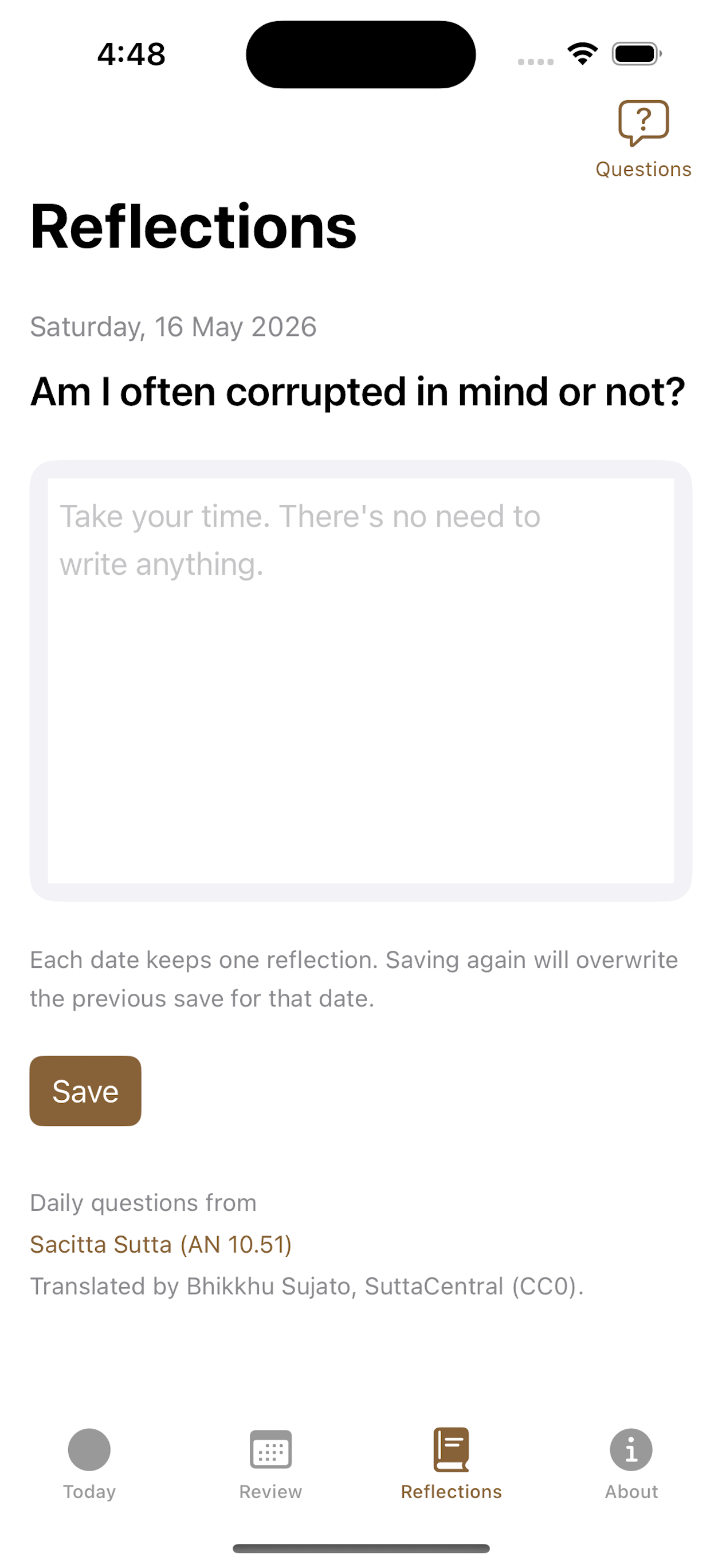
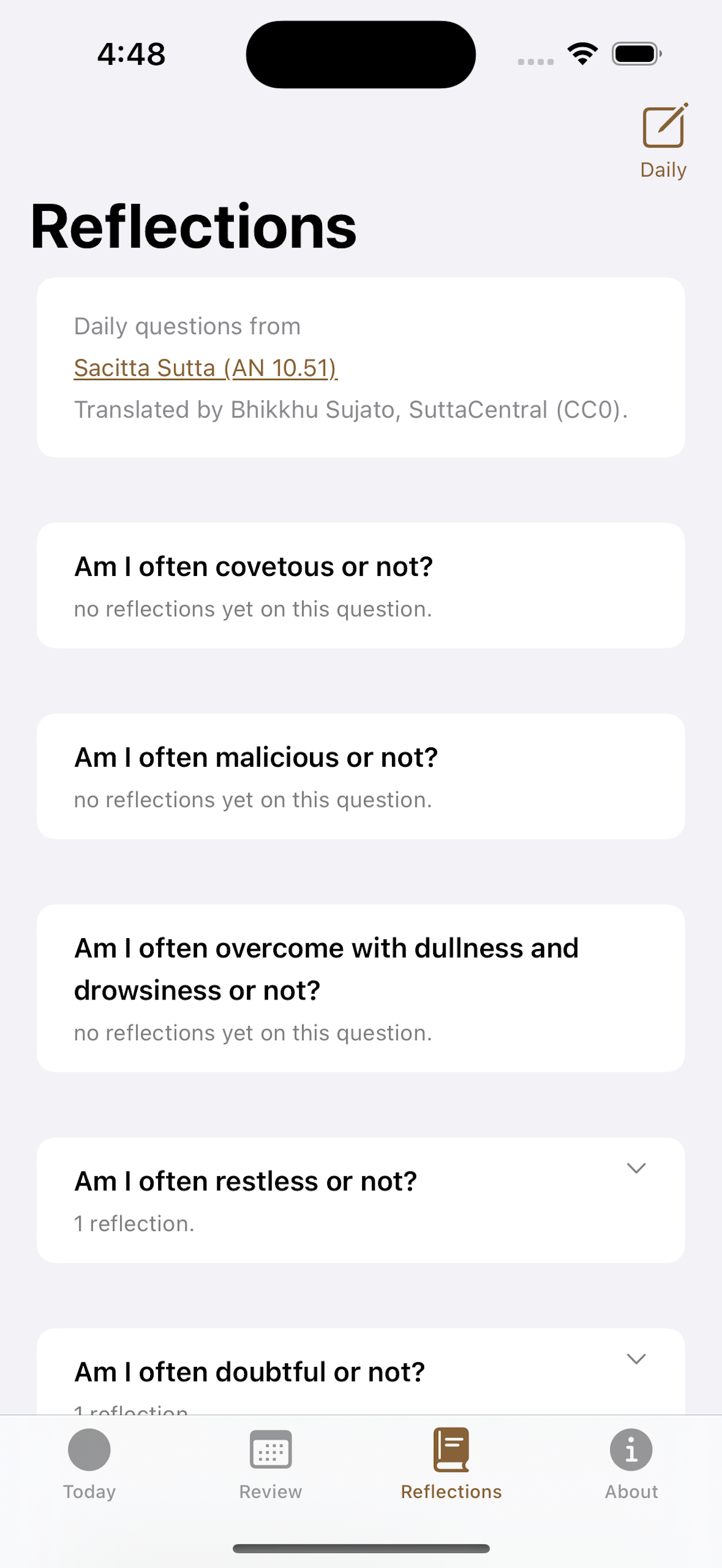
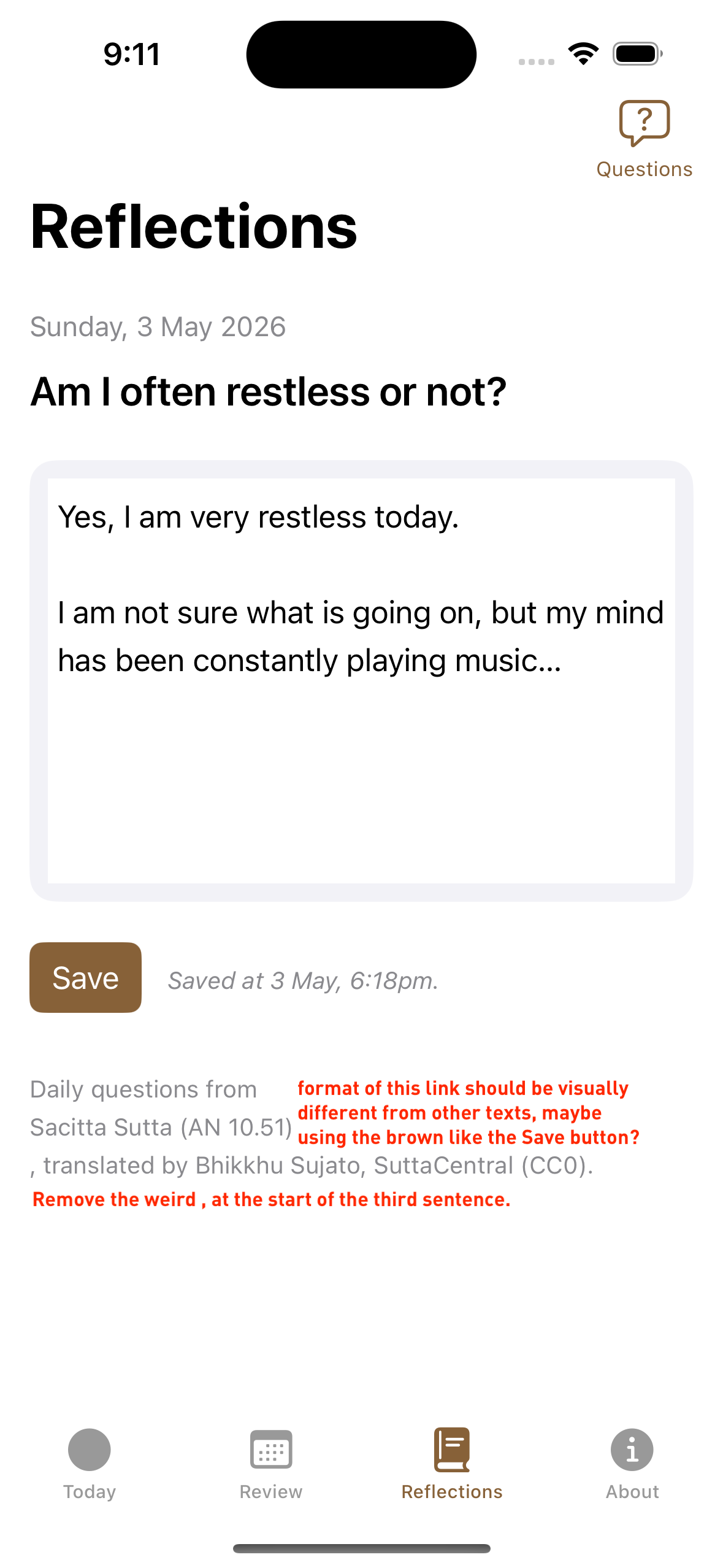
A few deliberate design choices here:
One reflection per date. Saving again overwrites the reflection for that day. This keeps the data model simple and nudges you toward considered writing rather than micro-journaling. I considered putting all 10 questions daily, and have tried the 10 question reflection for a while (using my own diary): it is a bit overwhelming, hence I decided to space it out in the app instead.
The Questions view shows all ten in canonical order with reflection counts per question, so you can see which ones you have engaged with over time. This can be useful for the practitioner to make sense of their mental patterns over time.
Each reflection is editable. Tapping a past entry opens a detail view with previous/next navigation — you can trace how your thinking on a question has changed across weeks or months.
Why these ten questions specifically? Because they come from the Buddha! “Am I often covetous or not?” is not a question with a satisfying answer — it is a question designed to keep you honest on the path of practice.
3. Optional stone tagging: root and intensity
When you log a stone, you can now optionally tag it with a root and an intensity.
The root taxonomy comes from MN 19 (the Two Kinds of Thought). For white stones: renunciation, kindness, harmlessness. For black stones: sensual desire, ill will, harming. For intensity: strong or weak.
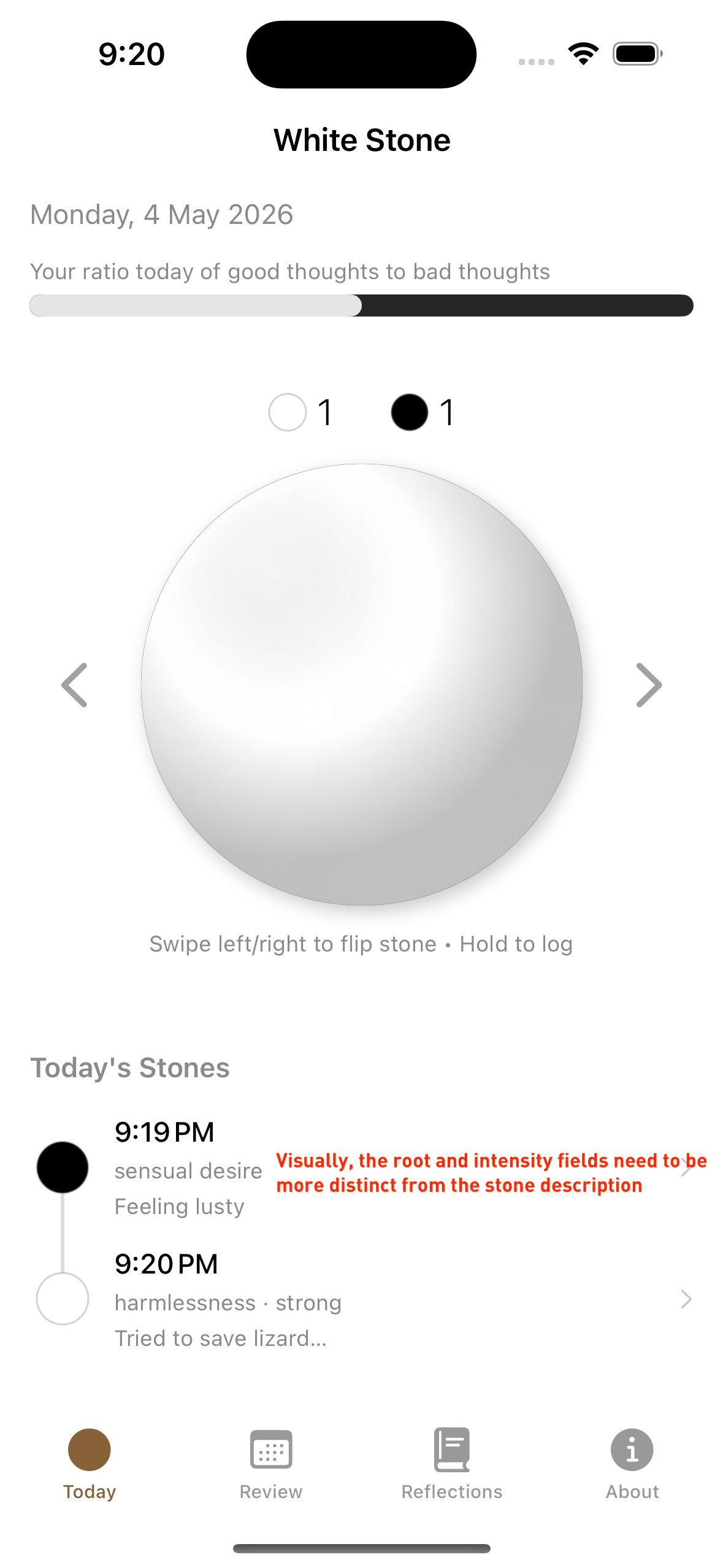
A few things I want to highlight here:
All tagging is optional and skippable. The hold-to-log gesture takes you directly to the note field, and both root and intensity sections sit below it. You can log a stone in two seconds with no tags at all, exactly as before.
You can add your own root descriptors. The canonical three roots per color are a starting point, not a straitjacket. If your black stones are often about “social anxiety” or “craving for feedback,” you can add those as custom descriptors. Once saved, they appear as reusable chips for future stones. One custom emotional root that appeared for me, was “inspiration”!
Multiple roots can be selected on the same stone. Sometimes an unskillful thought is genuinely a mixture — ill will with an undercurrent of sensual desire. The app lets you tag that honestly rather than forcing a single category.
The tags feed into the Patterns section (see below) and also display as small metadata pills in the Today and Review timelines, so you can see the texture of a day’s practice at a glance without having to tap each stone individually.
4. Pattern surfacing
The Review tab now includes a Patterns section. This runs a local-only analysis on your stone history and surfaces quiet observations when you have enough data — things like “most of your black stones this week have been tagged with ill will” or “you tend to log more unskillful thoughts on weekday mornings.”
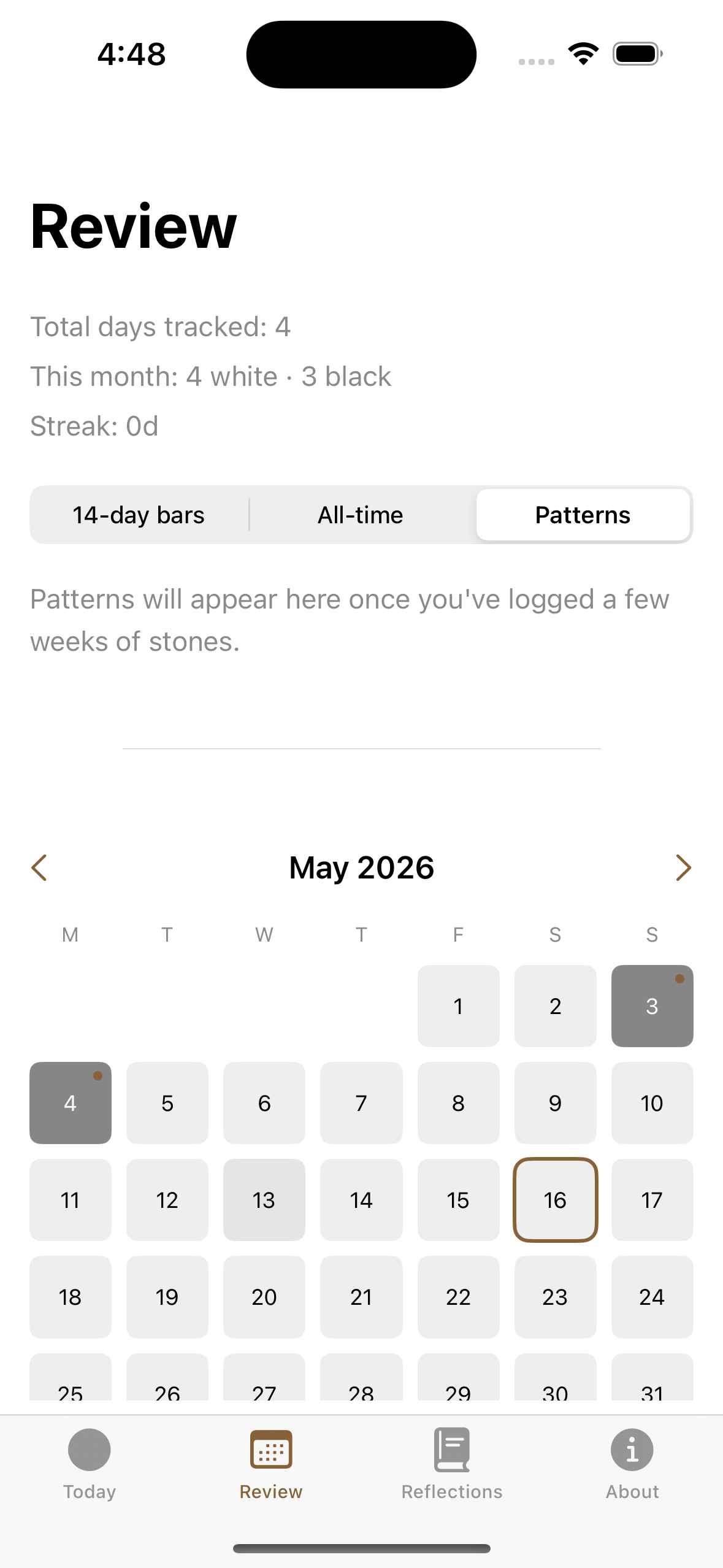
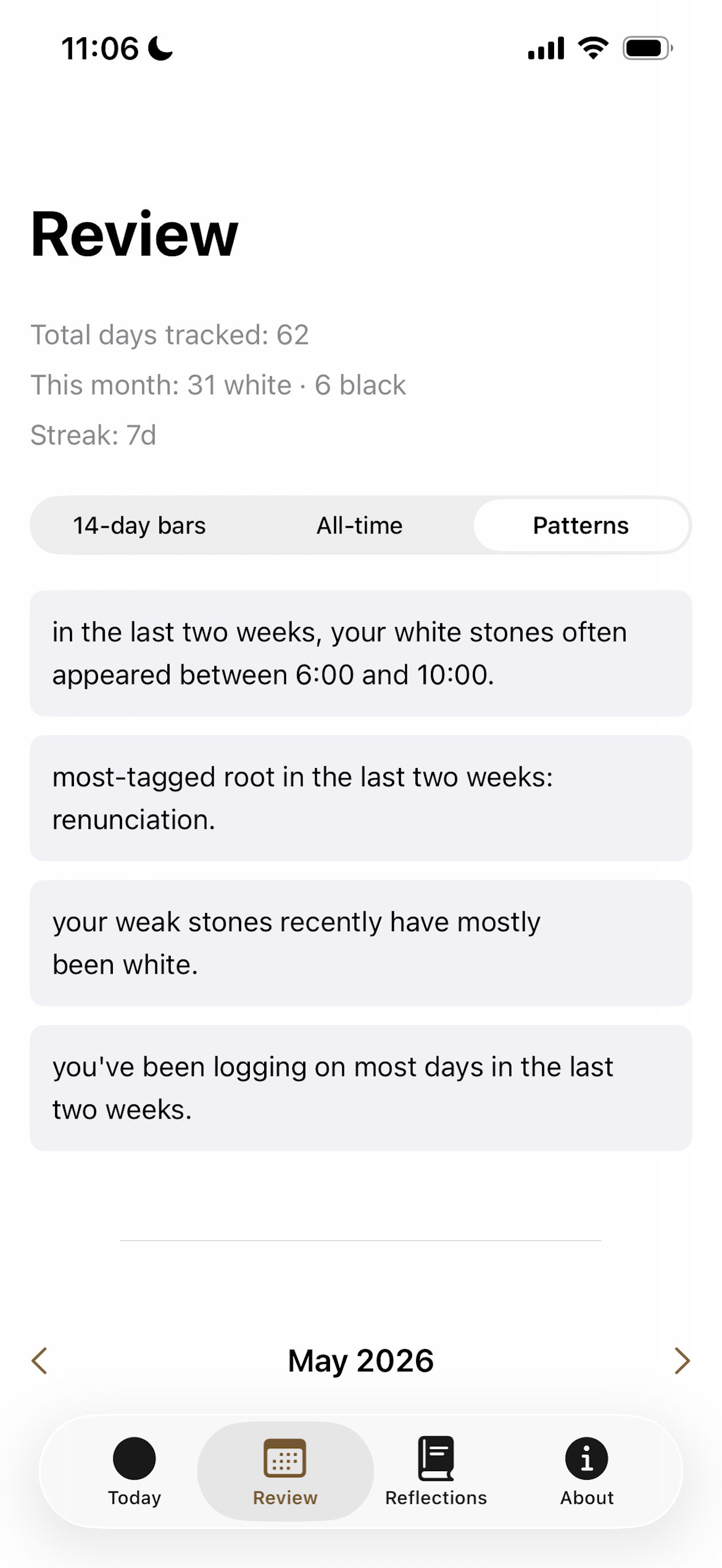
The second screenshot above is from my own phone after 62 days of logging — you can see the kinds of observations the engine surfaces: time-of-day patterns, which root tag has been most common, the quality of “weak” stones, and consistency of logging.
If you are new or haven’t logged much, the section simply says “Patterns will appear here once you’ve logged a few weeks of stones.” No fabricated insights, no empty state gamification.
Everything runs on-device. No data leaves your phone, and I deliberately omitted telemetry so that I don’t see how many downloads or clicks are happening on each device.
What stays the same
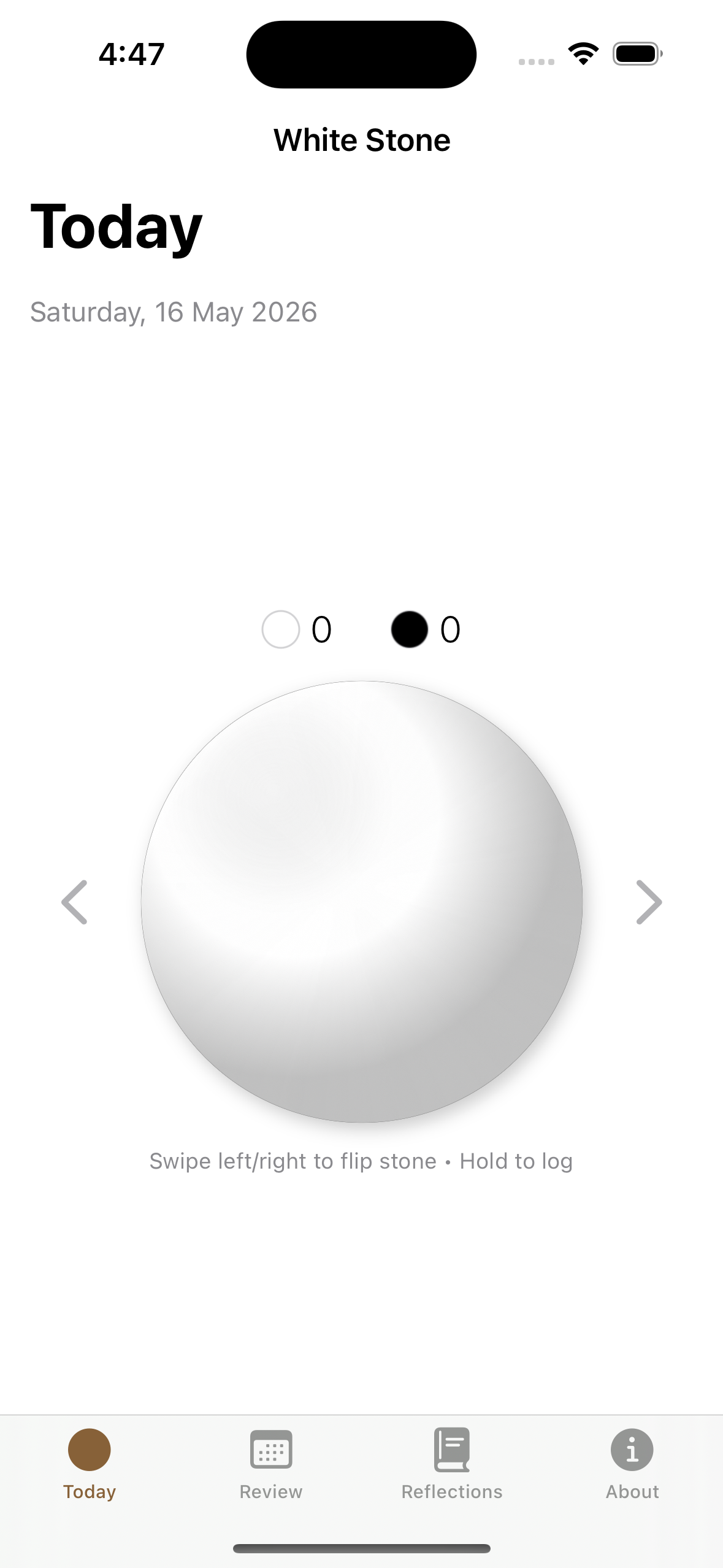
The Today view, the hold-to-log gesture, the stone flip animation, the haptics, the streaks counter, are all unchanged.
The app is still local-first (SwiftData, no server, no sync), still zero dependencies, still free. The tech stack is deliberately boring: the hardest parts of this release were the data model migrations (making the new root/intensity fields optional so existing stones wouldn’t break on upgrade) and the pattern engine (making sure it surfaces only genuine observations and not statistical noise from small samples).
What’s next
Phase 5 — an optional end-of-day closure ritual — is still on the roadmap but not yet built. I am still undecided on it, so will sit on it for a while longer.
And I’m in the middle of porting the whole thing to Android, which is probably the next most important thing.
If you want to try the app: White Stone on the App Store.
Drafted with Claude Code, final edits by PJ